Theme Configuration
settings_applications Theme Configuration Overview
MediDash offers a powerful and flexible theme configuration system that
allows you to tailor the appearance of the application to your specific needs. All
theme-related configurations can be managed from a single file:
config.service.ts, located in the config
folder.
config.service.ts file. This is because theme-related
data is cached in the browser to persist user preferences.
code Default Configuration Structure
// Default theme configuration
this.configData = {
    layout: {
        variant: 'light', // 'light' or 'dark' layout
        theme_color: 'white', // choose from: 'white', 'cyan', 'black', 'purple', 'orange', 'green', 'red'
        layout_style: 'glassmorphism', // 'solid' or 'glassmorphism'
        glassmorphism_bg_color: 'purple-blue', // choose from: 'purple-blue', 'sunset', 'mint', 'candy', 'ocean', 'yellow', 'lush'
        sidebar: {
            collapsed: false, // 'true' for collapsed sidebar, 'false' for expanded
            backgroundColor: 'light', // 'light' or 'dark' sidebar background
            sidebar_type: 'minimal', // 'default', 'minimal', or 'horizontal' sidebar layout
        },
    },
};
info_outline Configuration Options Explained
| Option | Description |
|---|---|
variant |
This option controls the overall layout theme. Set to
'light' for a light-themed layout or
'dark' for a dark-themed layout.
|
theme_color |
This option sets the primary color theme for the
application.
You can choose from a variety of predefined themes,
including:
'white', 'black',
'purple', 'blue',
'cyan', 'green',
'orange', and 'red'.
|
layout_style |
This option controls whether the application uses a solid
background or a glassmorphism background effect. Set to
'glassmorphism' or 'solid'. Note:
Glassmorphism is only visible when variant is
'light'.
|
glassmorphism_bg_color |
If layout_style is set to 'glassmorphism', this
option sets the gradient background color. Choose from:
'purple-blue', 'sunset',
'mint', 'candy',
'ocean', 'yellow', or
'lush'.
|
collapsed |
This option controls the initial state of the sidebar. Set
to
true to have the sidebar collapsed by default,
or
false to have it expanded.
|
backgroundColor |
This option sets the background color of the sidebar. Set to
'light' for a white background or
'dark' for a dark background.
|
sidebar_type |
This option controls the layout of the sidebar. Choose from:
'default' for a standard vertical sidebar,
'minimal' for an icon-focused minimal sidebar,
or
'horizontal' for a top-bar navigation menu.
|
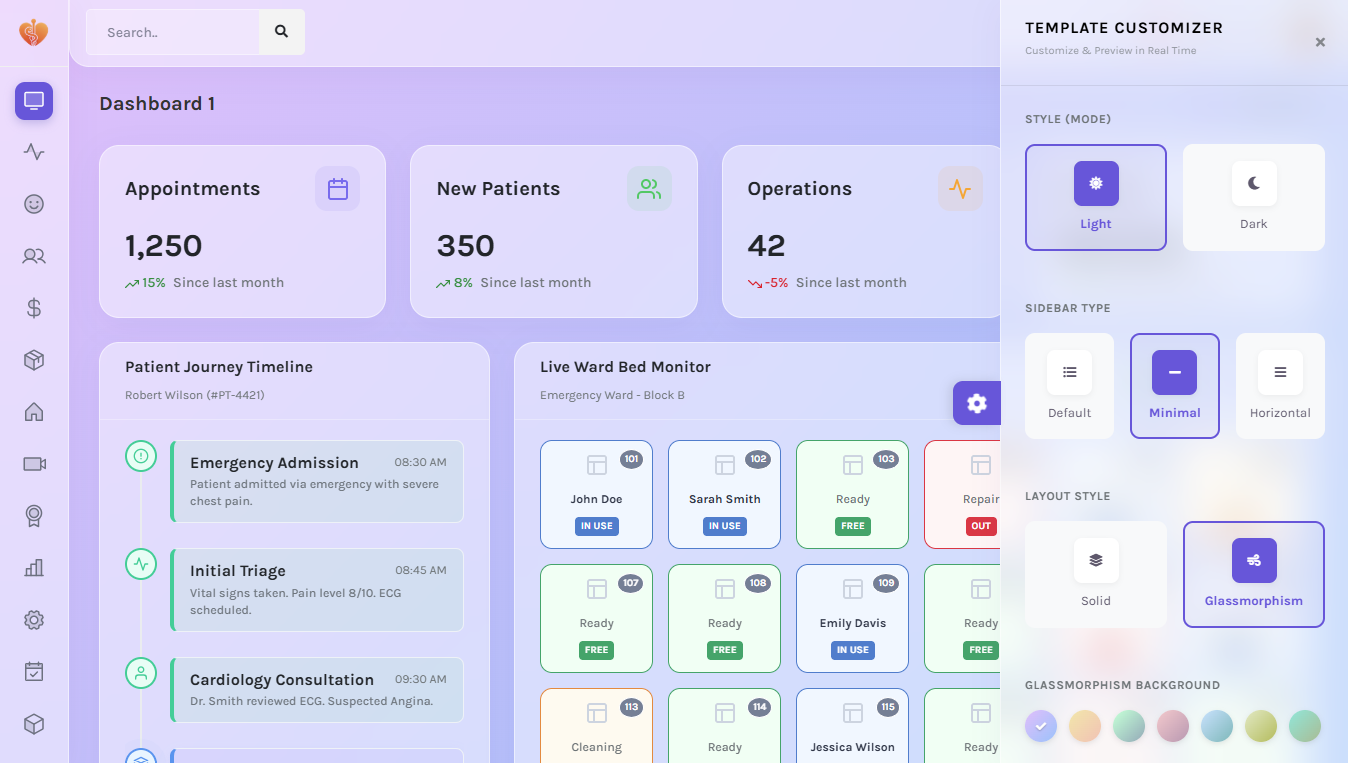
live_tv Live Customization
MediDash includes a live customization feature that allows you to experiment with different theme settings in real-time. Simply click on the settings icon in the top right corner of the application to open the right sidebar. From there, you can adjust the layout, theme color, and sidebar settings to see the changes instantly.